Compare JSON diff vs text diff and learn when to use structured diff, semantic JSON diff, or line-by-line diff for APIs, configs, and nested data.
2026-02-047 min read
Text diff is excellent for source code, prose, and files where exact lines matter. JSON diff is better when the file is data and the important question is which field changed.
That difference matters for APIs, configuration files, feature flags, generated payloads, and JSON exports. A formatting change can make text diff noisy. A structured diff can ignore presentation and focus on object paths, arrays, keys, and values.
JSON diff vs text diff: quick comparison
Use case
JSON diff
Text diff
API response changes
Best
Noisy
Formatting changes
Ignores noise
Shows noise
Nested fields
Shows path changes
Hard to read
Source code
Not ideal
Best
Config audits
Best
Sometimes useful
JSON diff vs text diff (live tool)
Output(✓)
1
2
3
4
{
"active":true,
"plan":"starter"
}
Output(✓)
1{
2"changed": [],
3"added": [],
4"removed": []
5}
Love the result?
Use this exact pipeline in your app, backend, or LLM workflow.
No setup needed. Works with curl, Node, Python.
Uses example data. For edited input, copy from the playground.
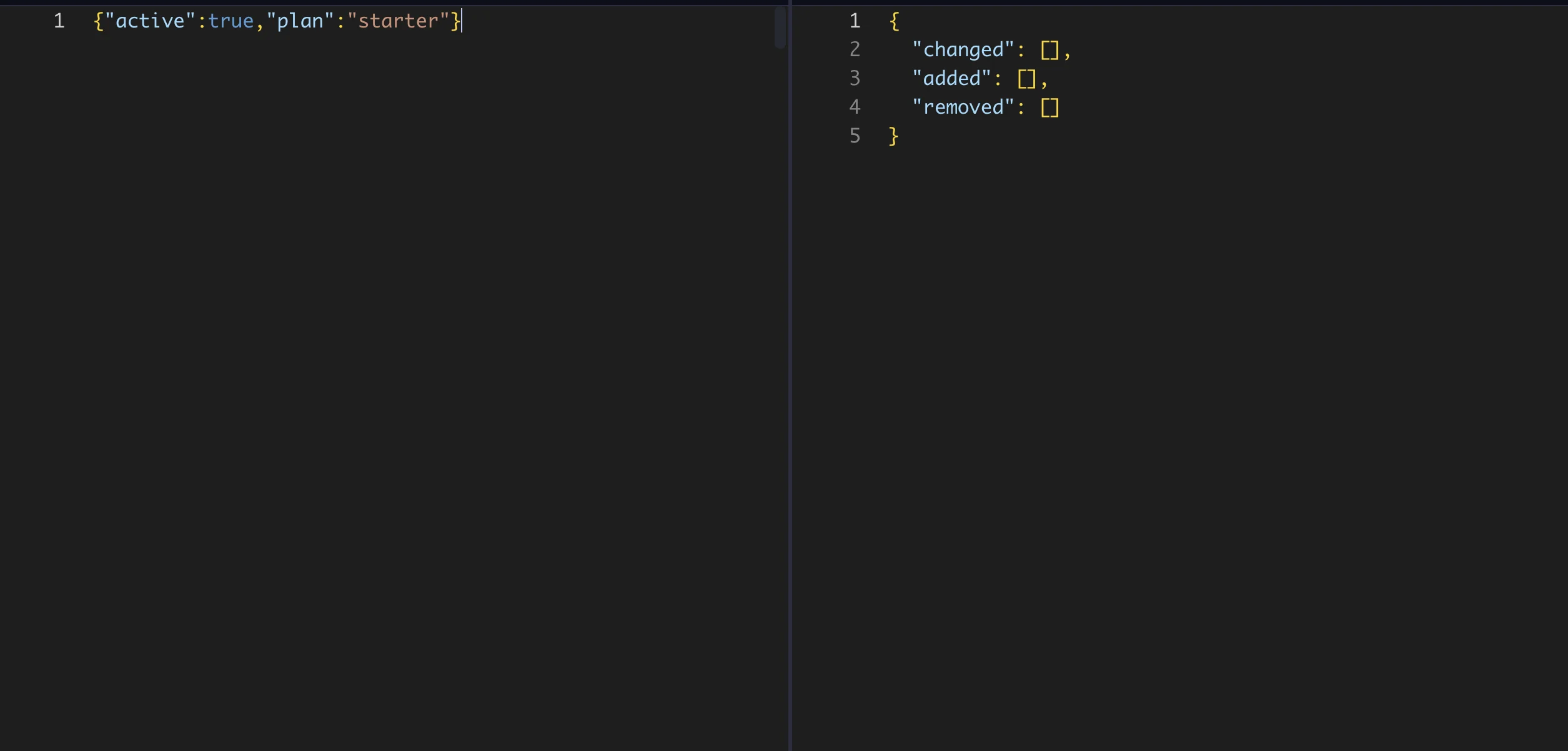
This semantic JSON diff report is ready for API reviews, config audits, snapshot checks, and release notes.
{
  "changed": [],
  "added": [],
  "removed": []
}
Instead of showing changed lines for indentation or key order, the structured report shows no data changes because both inputs parse to the same JSON value.
Replace the inputs above with your own JSON files to see whether structured JSON diff or line-by-line diff gives the clearer review.
Text diff compares characters and lines. It is useful when the exact file representation matters: source code, markdown, logs, lockfiles, or configuration formats where line order is meaningful.
Text diff tells you what lines changed. It does not understand JSON hierarchy, object paths, array items, or semantic field changes. It is a line-by-line diff, which is exactly what you want for code but often too noisy for parsed JSON data.
What is JSON diff?
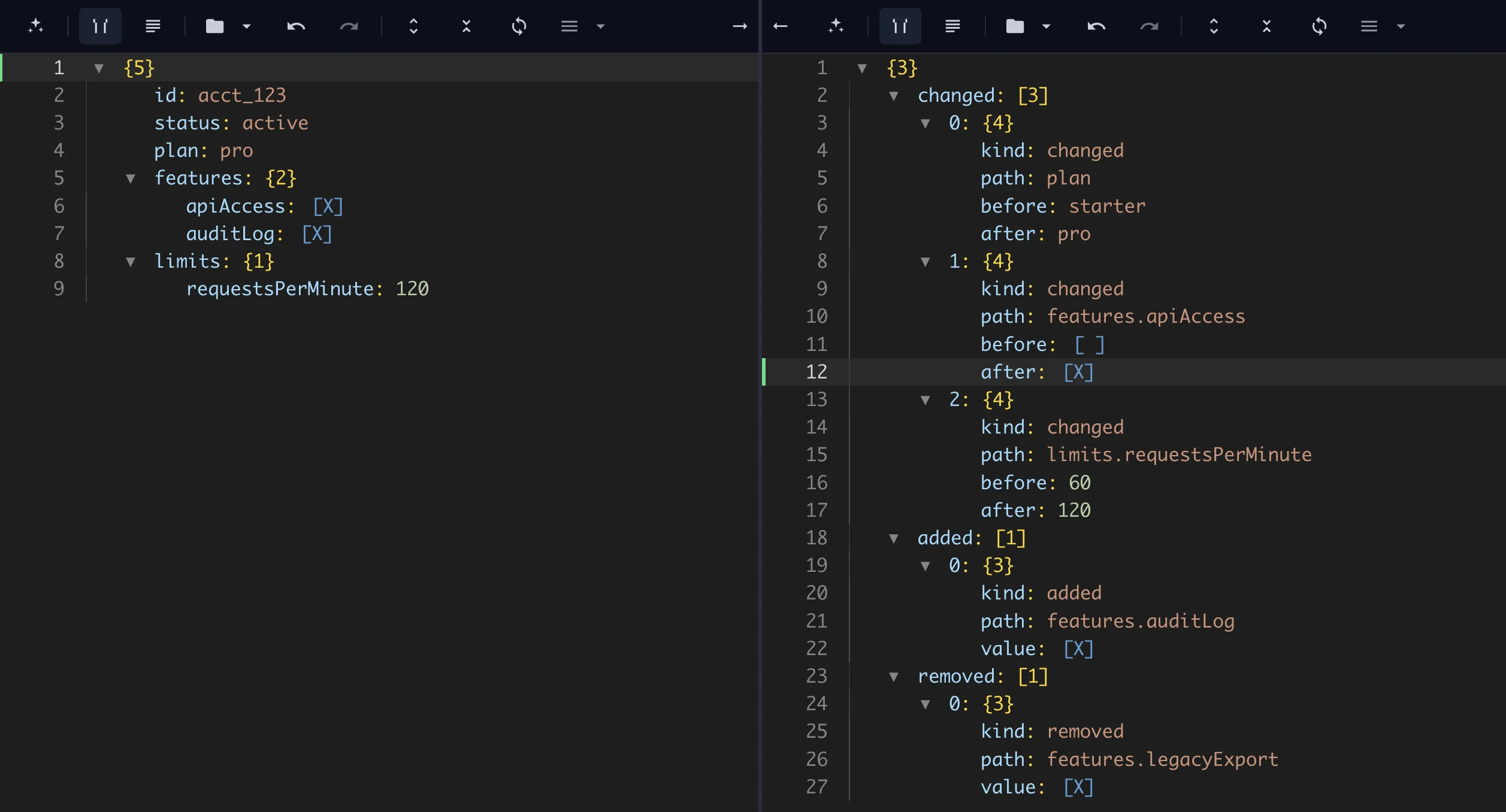
JSON diff compares parsed JSON values. It can identify added fields, removed keys, changed values, nested object changes, and array differences. Instead of saying a block of text changed, it can report a path like features.apiAccess.
That makes JSON diff useful when the consumer is code, an API contract, a pipeline, a validation rule, or a downstream analytics job. A semantic JSON diff is also the better fit when you need to compare JSON ignoring whitespace or compare JSON ignoring key order.
Example: formatting noise
Two JSON files can contain the same data but use different formatting:
{"plan":"starter","active":true}
and:
{
  "active": true,
  "plan": "starter"
}
A text diff may show changes because line layout and key order differ. A structured JSON diff should treat those as equivalent when the parsed data is the same.
Example: real field change
If a response changes from "plan": "starter" to "plan": "pro" or "active": true to "active": false, those are real data changes. A structured JSON diff should report each changed path with the old and new values. That is much easier to review than searching through a large text diff.
When to use JSON diff
Comparing API responses.
Reviewing config file changes.
Checking feature flag updates.
Validating generated JSON changes.
Auditing transformation output.
Comparing saved JSON snapshots.
When text diff is still better
Use text diff when comments, whitespace, exact ordering, or file bytes matter. Source code and prose are usually text-diff problems. JSON consumed by applications is usually a structured-diff problem.