01
Paste JSON
Bring in API responses, CSV exports, or sample payloads.
Transform JSON online with a visual workflow tool. Drag steps, connect them, and turn repeated cleanup, merging, and conversion into reusable pipelines — no code.
Build the workflow once on a visual canvas, then rerun it on new JSON whenever the next messy payload lands — no scripts, no glue code, no re-work.
No sign up required • Try it instantly
Transform JSON online in your browser — no setup required
Templates
Open a runnable template, inspect the steps, then adapt it to your response shape. Each template is built to feed into a reusable ForgeJSON pipeline.
Extract message content, finish reason, model, and token usage from OpenAI chat completion responses.
Run templateLLMTurn messy AI-bound JSON into a stable, redacted contract before it reaches production workflows.
Run templateAPIConvert nested API objects into flat path-based fields for CSV, QA review, and analytics.
Run templateExportExport JSON arrays into CSV text with flattened nested fields and spreadsheet-ready headers.
Run templateImportParse CSV text into typed JSON rows that are ready for cleanup, APIs, and reusable pipelines.
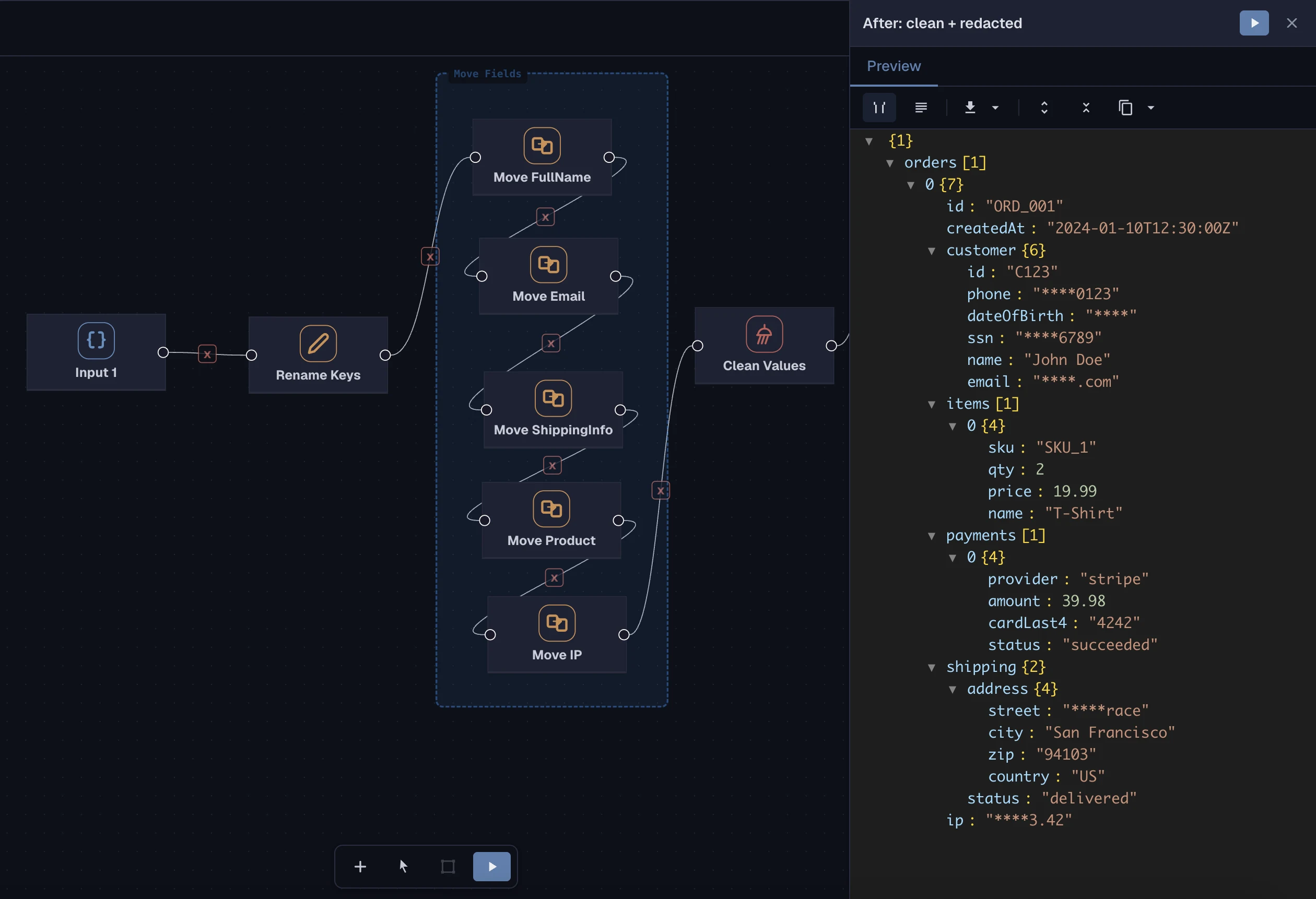
Run templateVisual JSON transformation
Drop your JSON on the canvas, connect a few transformation steps, and watch the output update as you build. Runs entirely in your browser — no data leaves the page.
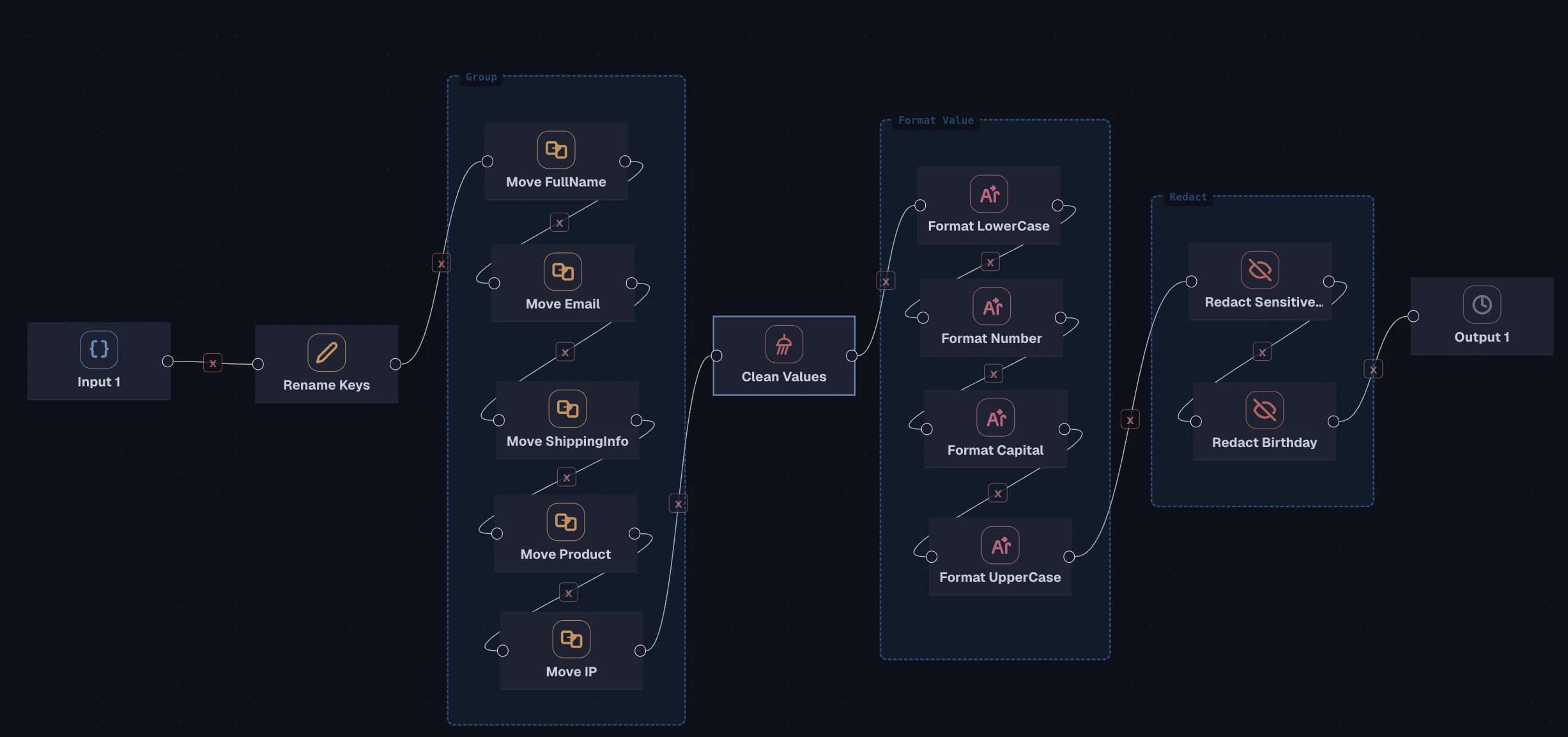
Rename Keys → Clean → Normalize → Redact — reusable on any matching payload.
No sign up required • Try it instantly
How it works
01
Bring in API responses, CSV exports, or sample payloads.
02
Drag reusable utilities onto the canvas from a searchable library.
03
Wire step outputs to step inputs — data flows through automatically as you edit.
04
Export the result, or save the pipeline and rerun it on the next payload.
What you can do
Stop writing one-off scripts for every cleanup, merge, or export. Build the pipeline once, share it, and rerun it whenever the data changes.
Combine payloads from APIs, exports, or services into one coherent document with predictable conflict resolution.
Strip nulls and empty strings, trim whitespace, align casing, and coerce types so downstream code sees consistent data.
Parse vendor CSV exports into structured JSON, or flatten JSON arrays into tabular CSV for analytics pipelines.
Mask emails, phones, SSNs, addresses, and IPs with a single step before sharing logs, bug reports, or exports.
Diff payloads across versions, environments, or runs to find regressions before they reach production.
Turn deeply nested objects into flat, predictable records for CSV export, spreadsheet review, or downstream joins.
Why ForgeJSON transformation
ForgeJSON is built for the repeatable JSON work that normally turns into throwaway scripts: merging, cleaning, converting, redacting, comparing, and flattening. Build the workflow once, keep using it.
No sign up required • Try it instantly
Common workflows
Use ForgeJSON to automate the cleanup, reshape, and export steps that show up in every data-heavy project.
Normalize fields coming from third-party APIs that change shape between requests, so your code sees a steady interface.
Mask personally identifiable fields across a whole payload in one pass, then safely send the sample to support or engineering.
Parse supplier feeds, add computed fields, and reshape into the structure your ingestion pipeline expects.
Join customer, order, and payment payloads into a unified record without writing glue code.
Compare today versus yesterday for the same request and surface only the fields that actually changed.
Unpack deeply nested settings into a flat list of paths so audits and reviews fit in a spreadsheet.
Want more ideas before you jump in? Read JSON workflow guides on the ForgeJSON blog or compare plans on the pricing page.
From edits to workflows
Turn repeated edits into a pipeline →
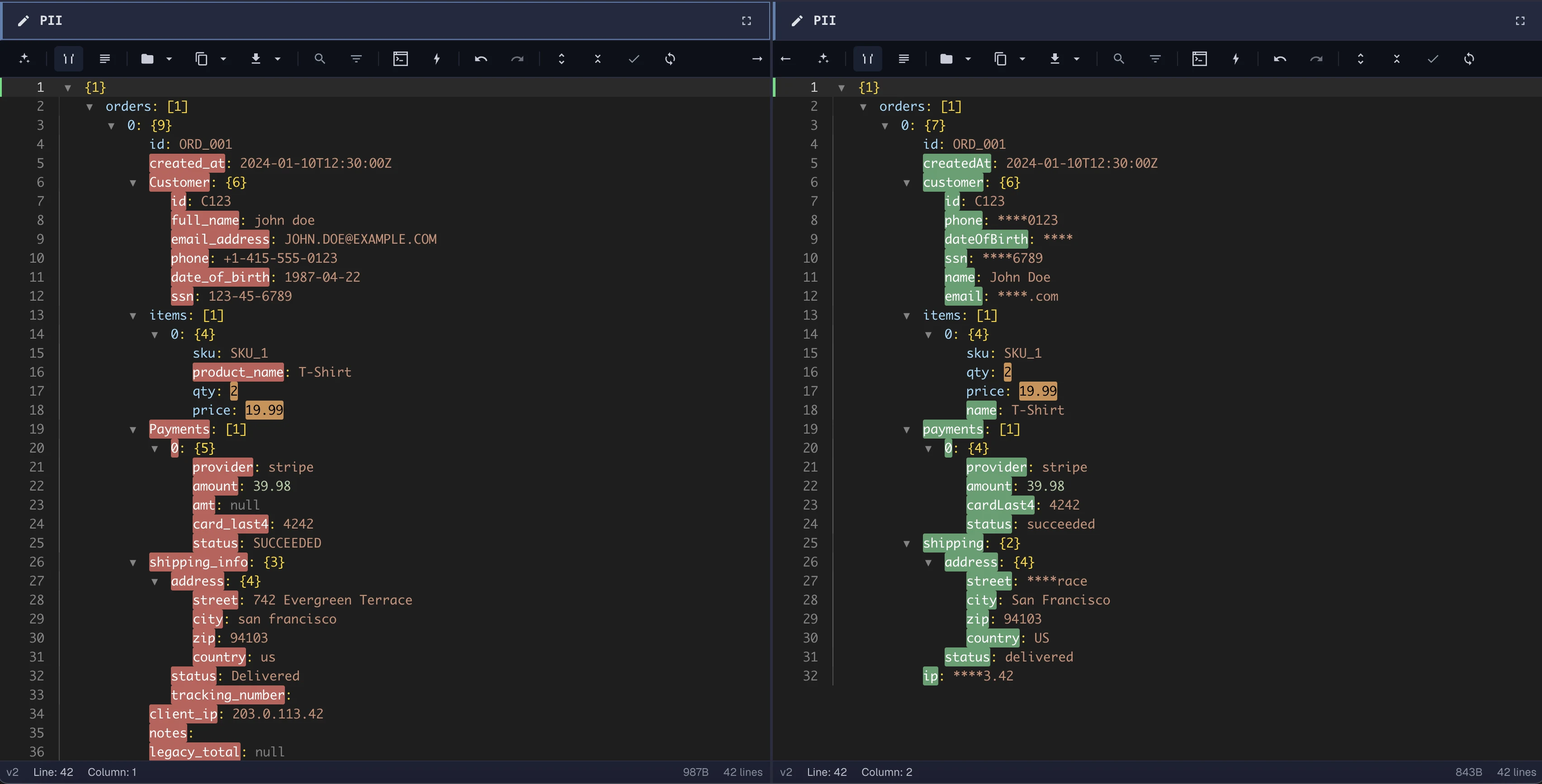
If you keep making the same fixes by hand in the JSON editor, a pipeline does them once and replays the work on the next payload. Same scenario, different surface.
No sign up required • Try it instantly
Try ForgeJSON in your browser
Open the pipeline demo, drop in sample JSON, and test transformations without creating an account.
No sign up required • Try it instantly
FAQ
A JSON transformation tool lets you clean, reshape, merge, and convert JSON data without writing code — you drag reusable steps onto a canvas, connect them, and run the workflow on any matching payload.
Paste or upload a CSV, add a Parse CSV step, then optional cleanup and restructure steps to land in the shape you want. Re-run the same pipeline on new CSVs without rebuilding it.
Yes. Add two inputs, connect them to a Merge step, and choose how conflicting keys are resolved. The merged output flows into the rest of your pipeline like any other step.
Yes. You can rerun the same workflow on new JSON data.
Yes. You can use the pipeline demo and the JSON editor for free, directly in your browser, without creating an account.
No. ForgeJSON runs entirely in your browser — no download, no install, no build tooling.
No. Demo data stays in your browser and is not stored.