Compare JSON files instantly and detect changes in seconds.
Paste your JSON below to generate a structured diff report - no scripts required.
Compare JSON files online, detect added, removed, and changed fields instantly, and generate reusable JSON diff reports for APIs, configs, and exports.
Compare JSON files instantly and detect changes in seconds.
Paste your JSON below to generate a structured diff report - no scripts required.
1{2 "changed": [3 {4 "kind": "changed",5 "path": "plan",6 "before": "starter",7 "after": "pro"8 },9 {10 "kind": "changed",11 "path": "features.aiDraft",12 "before": false,13 "after": true14 },15 {16 "kind": "changed",17 "path": "limits.documents",18 "before": 10,19 "after": 10020 }21 ],22 "added": [23 {24 "kind": "added",25 "path": "features.apiAccess",26 "value": true27 }28 ],29 "removed": [30 {31 "kind": "removed",32 "path": "features.legacyExport",33 "value": true34 }35 ]36}Use this exact pipeline in your app, backend, or LLM workflow.
No setup needed. Works with curl, Node, Python.
Uses example data. For edited input, copy from the playground.
Two JSON files can look identical while hiding critical differences:
These small differences can break APIs, dashboards, and production systems.
Small JSON changes can:
And they are often hard to spot manually.
This JSON diff tool lets you compare JSON files online and detect changes instantly.
This JSON diff tool helps you compare JSON files online and detect changes instantly.
Use this JSON diff tool to:
No setup or scripts required. Use it as a json compare online workflow, a json diff online utility, a json compare tool, or a json difference checker when you need a quick report without writing code.
If your JSON needs cleanup before comparing, see cleaning API responses. If your data is deeply nested, you may need to flatten nested JSON before diffing.
Use JSON comparison when:
Instead of comparing manually every time, you can:
This is where pipelines become powerful.
Scripts:
Tools:
Scripts still work when comparison rules are stable and code-owned. A JSON difference checker is better when you need fast review, shareable output, or repeatable API audits.
This JSON diff report is ready for API audits, config reviews, code reviews, and release checks.
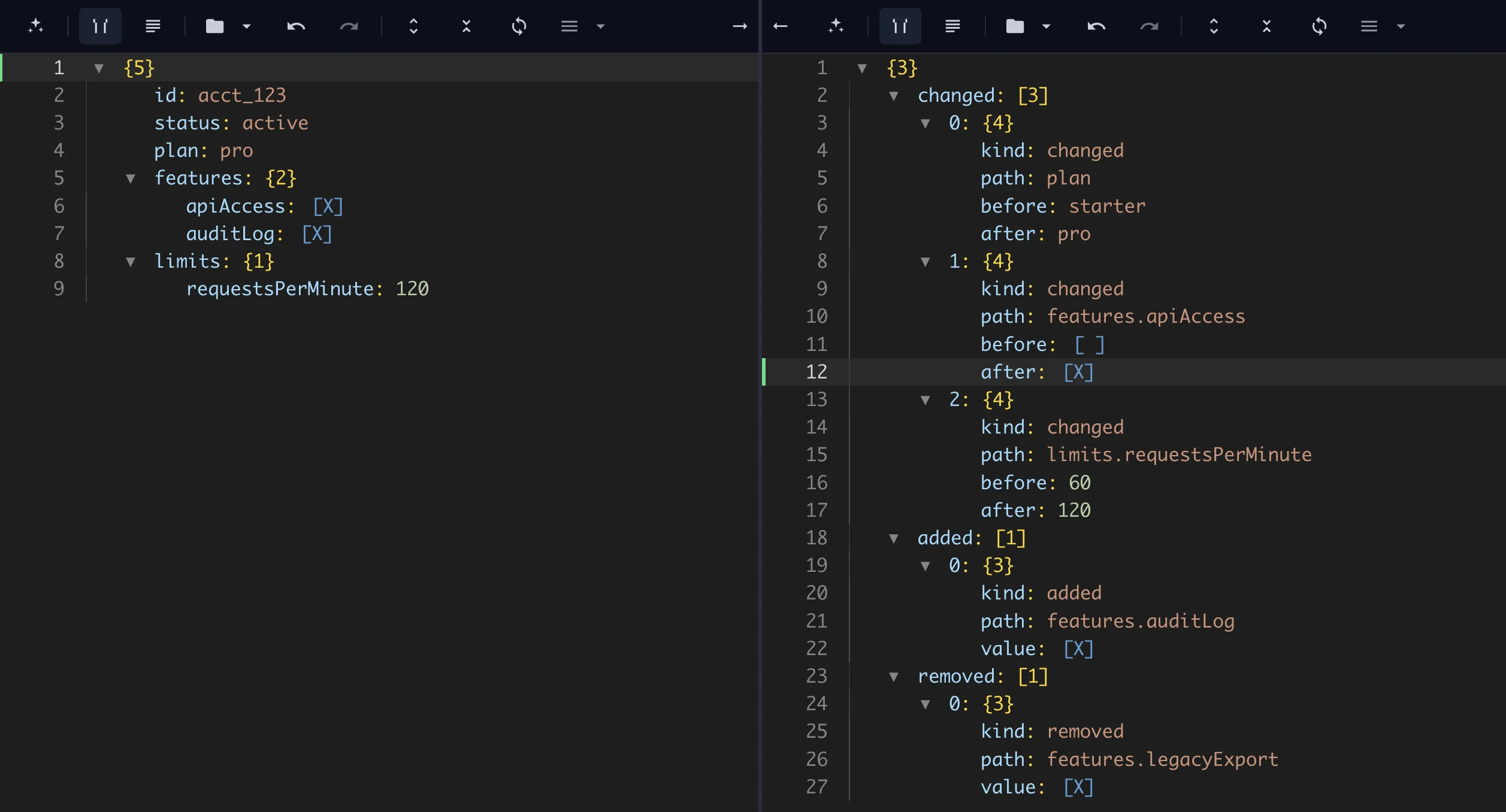
After: the JSON diff report separates changed, added, and removed fields.
{
  "changed": [
    {
      "kind": "changed",
      "path": "plan",
      "before": "starter",
      "after": "pro"
    },
    {
      "kind": "changed",
      "path": "features.aiDraft",
      "before": false,
      "after": true
    },
    {
      "kind": "changed",
      "path": "limits.documents",
      "before": 10,
      "after": 100
    }
  ],
  "added": [
    {
      "kind": "added",
      "path": "features.apiAccess",
      "value": true
    }
  ],
  "removed": [
    {
      "kind": "removed",
      "path": "features.legacyExport",
      "value": true
    }
  ]
}
If you also need to clean messy API responses before comparison or merge JSON configs after review, the same pipeline approach can help you prepare the data.
To compare JSON files:
The result is a JSON diff report ready for API audits, config reviews, code reviews, or deployment checks.
After comparison, your changes become a structured report that can be exported, reviewed, or reused in another workflow.
This process is also known as JSON diff, JSON change detection, comparing API responses, or detecting JSON field changes.
Paste two JSON files -> run JSON Diff -> get a change report instantly
Compare JSON files by parsing both inputs, comparing values by path, and returning added, removed, and changed fields in a structured report.
A JSON diff is the process of comparing two JSON inputs where fields are reported as added, removed, or changed by path.
Unlike visual text comparison, a structured JSON diff focuses on data paths such as features.aiDraft or limits.documents, which makes nested changes easier to review.
| Type | Example | Notes |
|---|---|---|
| Added | features.apiAccess | New field appears in the new JSON |
| Removed | features.legacyExport | Old field no longer exists |
| Changed | limits.documents | Same path, different value |
| Array change | items[2] | May need domain-specific matching |
For related standards background, see RFC 6902 JSON Patch, which defines operations for expressing changes to JSON documents.
You can compare JSON files online by pasting the old and new JSON, selecting JSON Diff, choosing a report mode, and previewing the change report.
You can export and download the final diff report for code reviews, API audits, config checks, or BI workflows.
Before: two product plan config files look similar, but important values changed.
{
  "plan": "starter",
  "features": {
    "aiDraft": false,
    "history": true,
    "legacyExport": true
  },
  "limits": {
    "documents": 10
  }
}
{
"plan": "pro",
"features": {
"aiDraft": true,
"history": true,
"apiAccess": true
},
"limits": {
"documents": 100
}
}See how this transformation works step by step in the interactive pipeline below.
Use this tool to compare JSON files and generate a structured change report:
JSON change detection gets messy because APIs, internal tools, config files, webhooks, exports, and AI-generated output can change over time.
Common problems include:
Without a repeatable workflow, JSON comparison often becomes manual inspection or one-off scripts that are hard to trust.
Unlike simple text diff tools, this approach should compare JSON by path and separate added, removed, and changed values.
To detect JSON changes, read the old and new JSON, compare values by path, and return a structured report of what changed.
The JSON Diff utility can apply the same comparison rules repeatedly once the method is clear.
You can copy this setup:
{
  "mode": "report"
}
For this example, the workflow does:
You end up with:
changedaddedremovedfeatures.aiDraftIf the report is too broad, switch to a narrower mode such as changed-only, added-only, or removed-only.
The support material below shows the new JSON, old JSON, report config, and final output.
Compare API responses when an endpoint changes between releases, environments, customers, or repeated pulls. A path-based JSON diff makes it easier to see whether fields were added, removed, or changed.
Detect JSON changes before deployment, export, or automation so breaking field changes do not reach downstream systems unnoticed.
For repeated API audits or config reviews, a reusable workflow is easier to maintain than a one-off script.
A workflow lets you keep the same comparison mode, review the same structured report, and reuse the result in cleanup, export, or deployment checks.
For simple objects, JavaScript can compare keys directly:
const before = { plan: "starter", documents: 10 };
const after = { plan: "pro", documents: 100 };
const changed = Object.keys(after).filter((key) => before[key] !== after[key]);
This works for shallow objects. If nested paths, arrays, ignored fields, or reviewable reports matter, a JSON diff workflow is easier to maintain.
Paste two JSON files, run JSON Diff, and get a structured change report instantly:
The output is a reusable diff report you can export, review, or use before cleaning changed API responses.
JSON diff can break down when the comparison rules are unclear or when arrays require domain-specific matching.
Common limitations include:
For very large JSON files, consider streaming or chunked processing before running the full comparison workflow.
For these cases, narrow the report mode, ignore known noisy fields, or split comparison into smaller sections.
Once JSON changes are detected, you can clean messy API responses before comparison, flatten nested JSON before reviewing changes, or export changed JSON to CSV.
The best approach should support:
Forge Json is designed for these use cases. Use it when JSON changes need to be reviewed, shared, reused, or run as part of a repeatable workflow.
Paste your JSON into the tool above to detect changes in seconds.
No scripts. No setup. Just results.
Use the example panel below to open this sample input and run the JSON Diff workflow directly in the editor.
A JSON diff compares two JSON objects and reports what changed, usually separating added fields, removed fields, and changed values.
Yes. A JSON diff should compare fields by path, such as features.aiDraft or limits.documents, so nested changes are easier to review.
Use JSON change detection when reviewing API responses, config changes, webhook payloads, exported data, or JSON snapshots before deploying.
Use scripts for stable comparison rules. Use tools or reusable workflows when nested paths, reports, or team review matter.
Support material
Use these examples to understand the transformation and apply the same workflow in your own JSON tasks.
Before & After
See how this workflow reshapes the sample material into clean output.
{ "plan": "pro", "features": { "aiDraft": true, "history": true, "apiAccess": true }, "limits": { "documents": 100 }}{ "changed": [ { "kind": "changed", "path": "plan", "before": "starter", "after": "pro" }, { "kind": "changed", "path": "features.aiDraft", "before": false, "after": true }, { "kind": "changed", "path": "limits.documents", "before": 10, "after": 100 } ], "added": [ { "kind": "added", "path": "features.apiAccess", "value": true } ], "removed": [ { "kind": "removed", "path": "features.legacyExport", "value": true } ]}1{2 "mode": "report"3}Continue with another practical guide in the same workflow area.
Compare JSON API responses instantly. Detect added, removed, and changed fields between API outputs with a live JSON diff tool.
Compare JSON diff vs text diff and learn when to use structured diff, semantic JSON diff, or line-by-line diff for APIs, configs, and nested data.
Transform an OpenAI API response into clean production JSON by extracting message content, token usage, model, and finish status.